Recover partition from deleted / formatted / repartition / missing drives/partition table damaged etc.
How to recover partition?
When you important partition data files lost bacause of mistake deleted or formatted, first, Do not write any information to your partitions again after formatting, or your data will be covered by rewriting. Please pay attention to some of the softwares which will be installed automatically to the default directory. Generally speaking, it has a great opportunity (almost 100%) to recover the NTFS partition; but unfortunately, you can just recover a part of the hard drive, for example: the files not larger than 100MBs, such as pictures, tables, documents; the recovery opportunity will be greater when the partition has been converted from FAT32 to NTFS.
How to Recover Lost Files and data after Hard Drive Repartition
In cases of rebuilding partition table after hard drive repartition or partition table losing, automatic partition dividing by GHOST, and dynamic partition changing into primary partition, data will be lost but can be recovered completely for most of the time.
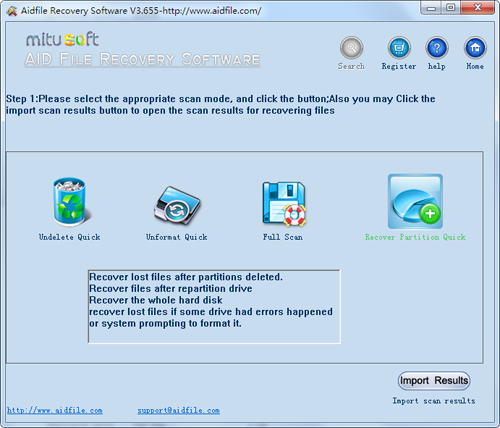
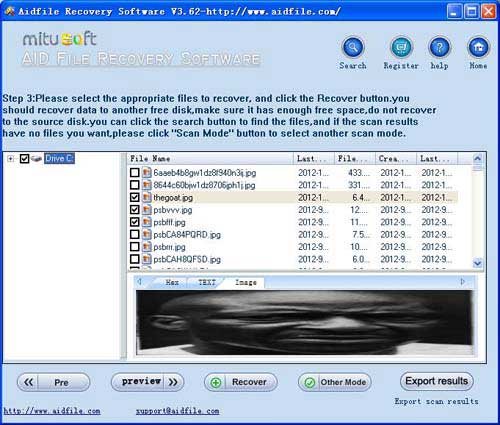
1, Quick Scan Mode- "Unformat" - if partition has formatted and did not changed the partition size.
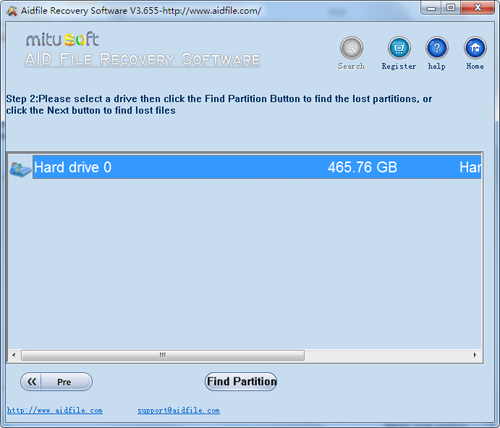
2, Quick Scan Mode - "Recover Partition" - recover lost partitions,deleted partitions,damaged partitions,changed partitions.
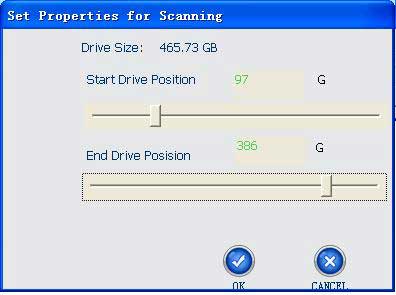
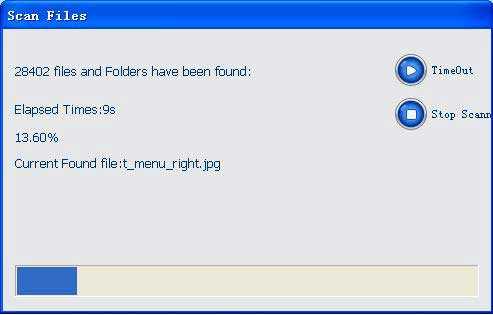
Overall, the scan is very fast, you can scan by setting the starting position, this can save time
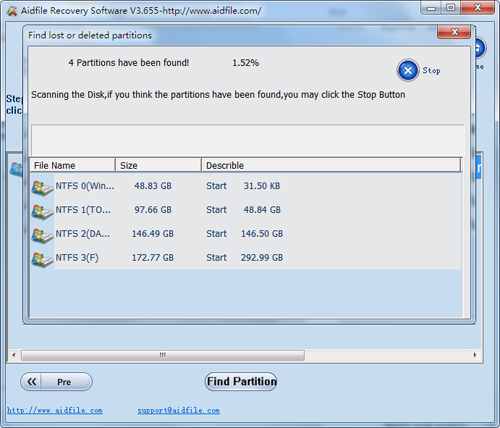
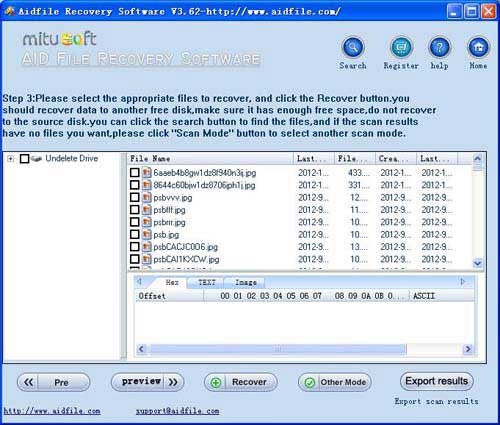
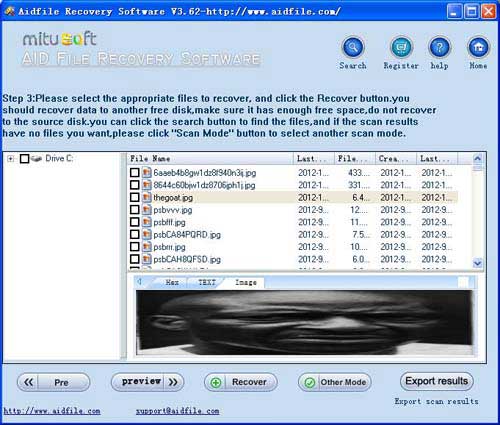
Will show you the partition has been found during the scan, please note carefully check the list to display the starting position of the partition, partition size, partition type
If the check list can confirm that you have found the desired partition, you can always click on the "Stop" button. Then select the desired partition and click "Next" and then very quickly scans the partition to find lost files.
If you stop in the middle before the "find partitions" scan and find that you still have not found the desired partition, you can continue scanning, set the starting position from the beginning to the position before stopping. So it can save time.
3, Deep Scan Mode - "Full Scan" - if lost files will not be able to retrieve data in three quick way, the overall full scan, retrieve maximum data will be lost, of course, the full scan time required is longer than the other way, however, Aidfile by a variety of efforts, the speed of the scan storage devices do fast enough.
Aidfile Recovery Software Keyfeature
support Windows XP, Windows 7, Windows 8,Windows 8.1,Windows 11 & Windows 10,Windows Vista, Windows 2003, 2008, 2012.
MS Office document (Word, Excel, PowerPoint, Outlook) types (doc, docx, ppt, pptx, xls, xlsx, pst, etc.),photos (JPG, PNG, ICON, TIF, BMP, RAF, CR2, etc.), videos and audios (MPG, MP4, MP3, MTS, M2TS, 3GP, AVI, MOV, RM, RMVB, etc.), compressed files (rar, zip, etc.), PE files (exe, dll, lib, etc.) and so on.
Support hard drive :WD, Samsung, Sandisk, Toshiba, Seagate, HP, Lenovo,Maxtor,etc.
support digital cameras:Canon, Kodak, Nikon, Fuji, Konica, HP, Agfa, FujiFilm, Polaroid ,Casio ,Olympus ,Sony ,Samsung ,Panasonic, NEC, Imation, Sanyo ,Epson, IBM, Minolta, Goldstar, LG ,Sharp ,Lexar ,Mitsubishi ,Kyocera ,JVC ,Leica, Phillips ,Toshiba, SanDisk ,Chinon, Ricoh ,Hitachi, Pentax, Kinon ,Verbatim ,Vivitar ,Yashica, Argus